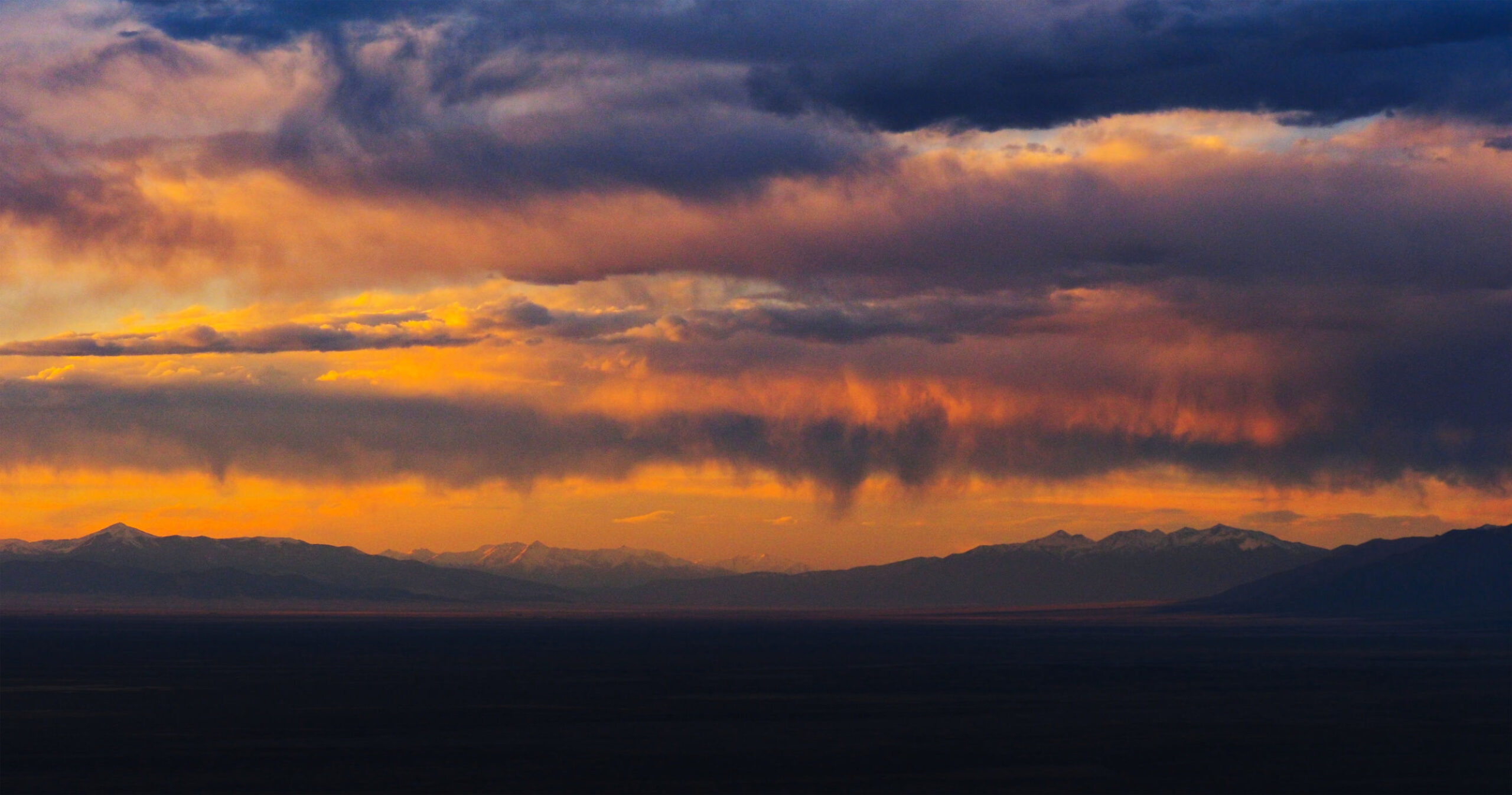
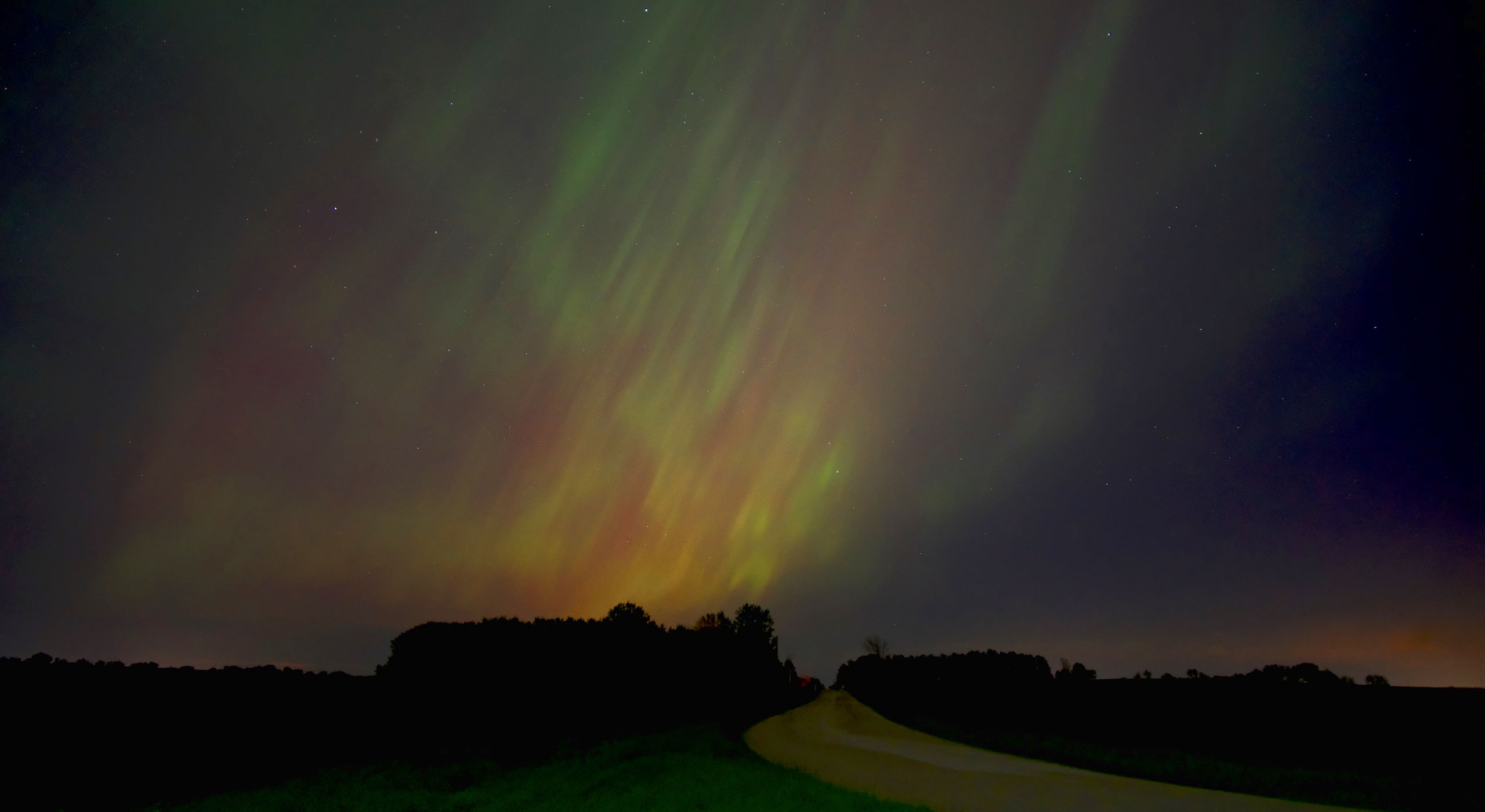
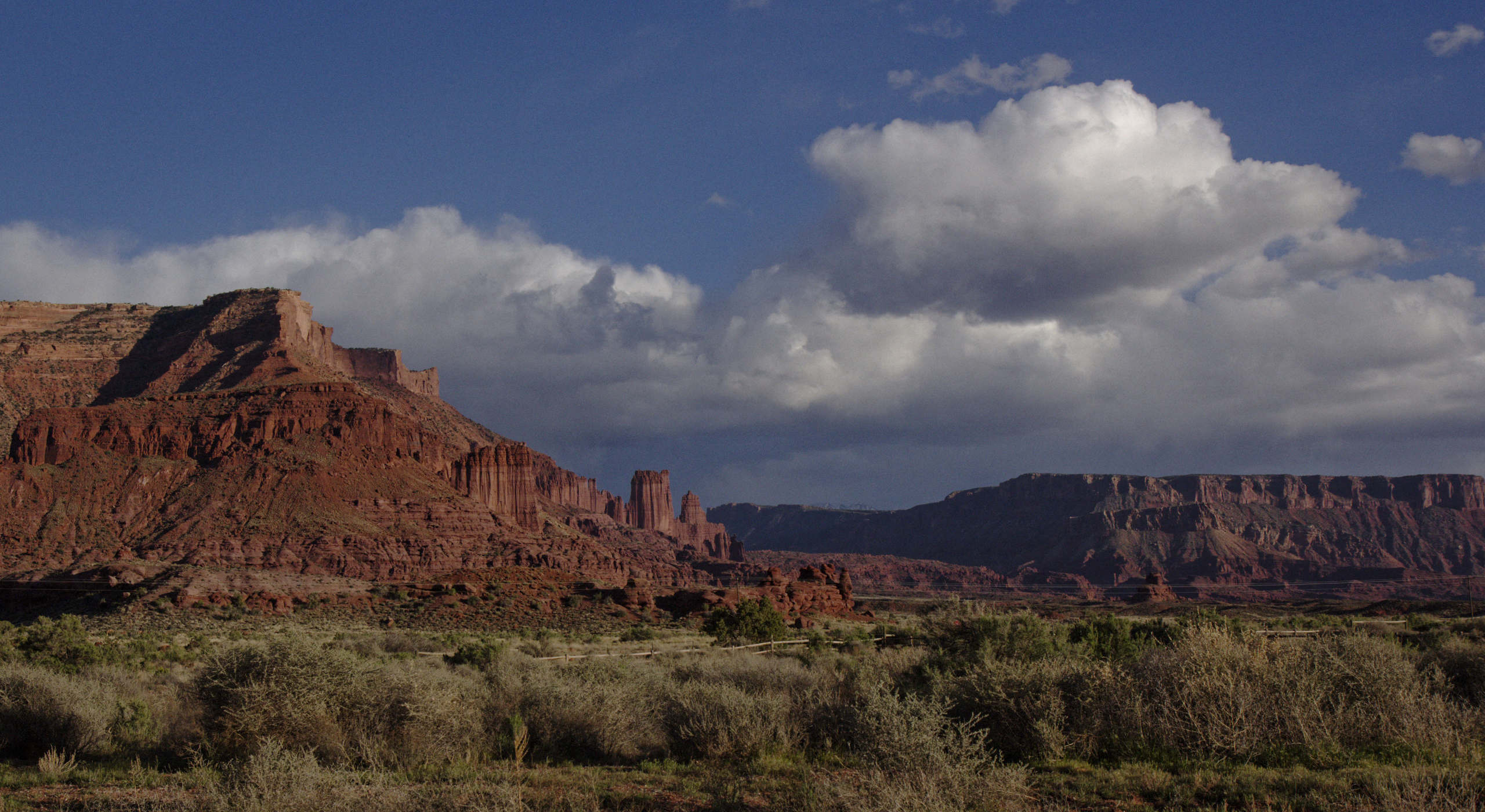

Go from memory card to finished time lapse.
Quickly. Easily. All in one app.
TimeLapse Forge loads your mix of RAW, JPEG or HEIC stills,
Grades the shots, smooths out flicker, corrects lens distortion, blends motion all in one app.
Directly export to ProRes for your edit or h.264 in social media friendly formats.
No round-trips between other apps, no huge intermediate files, no subscriptions.
What’s New
Ver 1.7 Release
Full Screen Playback Adds Showable / Hidable Sequence List
UI improvements : CTI placed out of cache loads frame ASAP
OS 15.8+ Eyedropper fixed
Additional Performance Improvements : Reading image metadata up to 10X faster.
Ver 1.5.0 With New Exciting Features:
Full Screen Playback
1:1 Pixel Zoom
Additional Performance Improvements
Enhanced Color Adjustments
Color Notch Filter
Improved CR3 Support
Intro Pricing of $79
✓ Perpetual License For Each Major Version
✓ Same Major Version Updates Included
✓ No subscriptions 😀
Productivity
⚡ Multiple sequences and formats are automagically separated into individual sequences correctly.
📁 Separate multiple hyper or time lapse sequences in one folder as shot by the camera.
⏱️Never waste time again manually sorting files into folders for each sequence. Those days are over !
🔀Mix JPEG, HEIC and RAW in the same location
💾 RAW files are loaded directly in. No converting to DNG, TIF or Jpeg 2000 intermediate exports, Think about that time and storage space savings !
🚫No folders of huge 100MB+ duplicate, converted, intermediate files eating up limited SSD space, and no waiting for it to happen.
♾️No file count limit. Should be fine with 100,000 images or more in a session.
Intelligent & Automatic
🎚️ Typical problems are all handled intelligently, automatically. You can adjust how gaps in shooting time intervals trigger a new sequence, how many missing frames to allow, or turn detection off entirely to match other apps “dumb” behavior.
🗃️Nested folders scanned up to 2 levels deep. Perfect for working with folders of sequences on your drives.
📷Mixed shots from different cameras but same file names ? 😵 TimeLapse Forge will sort that correctly that too ! It’s automagic.
🔢Correctly sees sequences split across subfolders due to 9,999 files in a folder DCIM spec rollover in camera.
🏷️ Camera metadata support: body, lens, ISO, shutter, aperture. Displayed with sequence info and embedded into the exported MOV for tracking in post if needed. Clever.
Deliver
🎞️Export full size native resolution .mov files in ProRes or h.264 for professional editing workflows
📐Export to standard video sizes from 1920X1080 through 4K UHD / DCI. On screen crop adjustment to get your frame correct.
📱Get your clips up on social media quickly with support for square and vertical formats 9:16 or 1080X1080.
⚡Export is fully hardware accelerated based on the abilities of your CPU model.
🎥 10bit 422, 10 bit 420, 8bit 420 All common frame rates like 23.976-29.97 and 6,12, 24.00, 25.00, 30.00.
✓ Your camera’s native files directly supported.
✓ No wasted time or drive space for conversions to other formats like TIFF.
✓ No convoluted multi application workflow.
✓ No 3rd party app requirements to process images.
Canon CR2, CR3 • Nikon NEF • Fujifilm RAF uncompressed and compressed • Sony ARW • Panasonic RW2 • Olympus OM System ORF • Leica DNG • Hasselblad 3FR • Pentax PEF • DJI DNG • GoPro • and many more
JPEG • JPEG 2000 • HEIC • HIF • TIFF • DNG • PNG • OpenEXR • BMP • PSD •
and more
Full camera and format list >
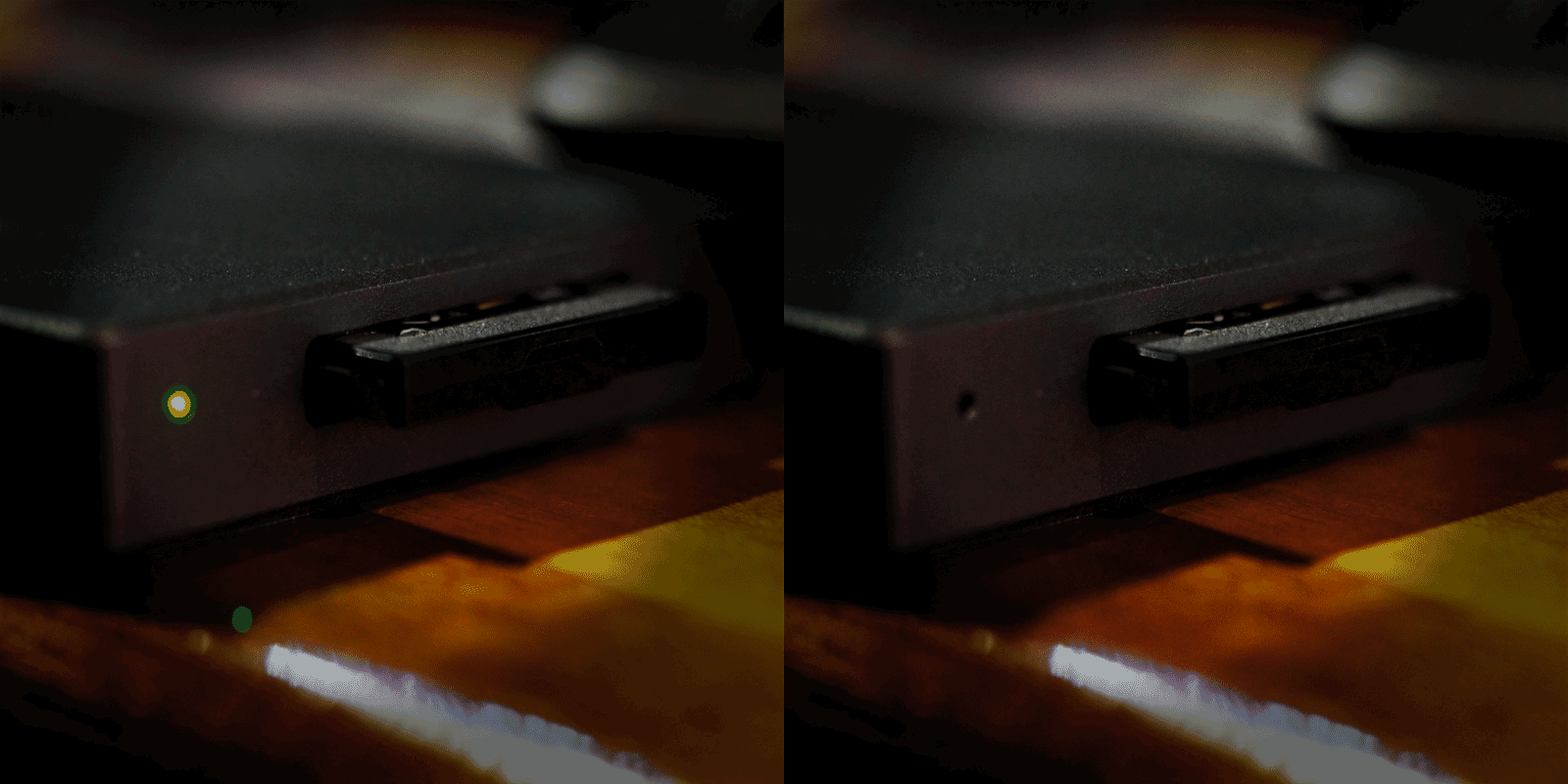
Play it from your card !
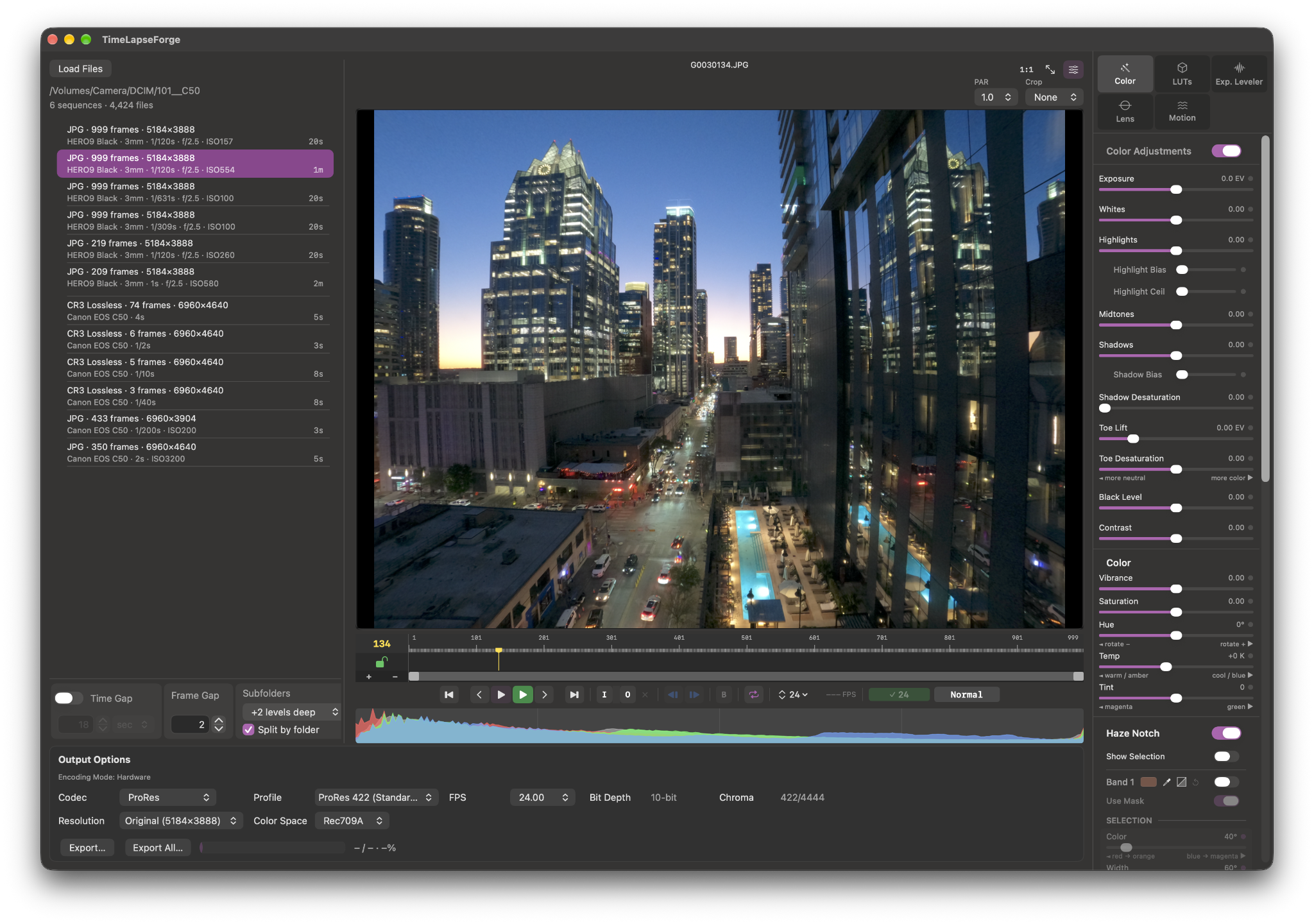
Realtime playback including RAW. See your current adjustments for color correction, deflicker, crop, lens correction all running at once. All of it shows up in the preview as you work, at standard frame rates. A cache bar in the timeline shows how much is held in RAM if caching is needed.
For long RAW sequences which don’t fit into cache, dropping playback to 12 or 6fps keeps things smooth without giving up what you’re seeing. You can play directly off a camera card for a quick first look before you’ve even copied anything. This is a giant time saver for checking your work on location by avoiding copying from the camera card.
Deflicker and exposure smoothing
with intelligent exposure metering.
Flicker and multi frame exposure drift changes have a lot of causes and they don’t all look the same. More importantly, they don’t always affect every part of a frame equally. Shadows can change differently than highlights and a global correction that fixes one can easily damage the other. Problem solved.
TimeLapse Forge analyzes every frame with a sophisticated multi-zone exposure tool like your camera utilizing GPU acceleration. The exposure meter intelligently ignores moving bright spots like the sun crossing the frame or headlights passing through. This prevents skewing the exposure measurement.
Tricky shot to fix ? If you need to lock analysis to a specific area of the image like the sky, draw a sample box in the frame on the area you think will grab the right area, then re-analyze.
Analysis controls:
• Exposure Smoothing Range: how many neighboring frames shape the reference curve.
• Variation Threshold: minimum EV deviation to flag a frame.
• Max Correction: limits correction per frame if needed.
Correction modes:
• Frame by Frame: isolated single frames.
• Group: for groups of frames that are off, interpolate smoothly between good neighboring frames. Manually adjust exposure during sequence ? this helps smooth the transition out. Also good for times when sun or clouds come or go through a sequence.
Analysis is stored per sequence. Come back to a sequence later and everything is exactly where you left it. Make changes and it analyzes in seconds.
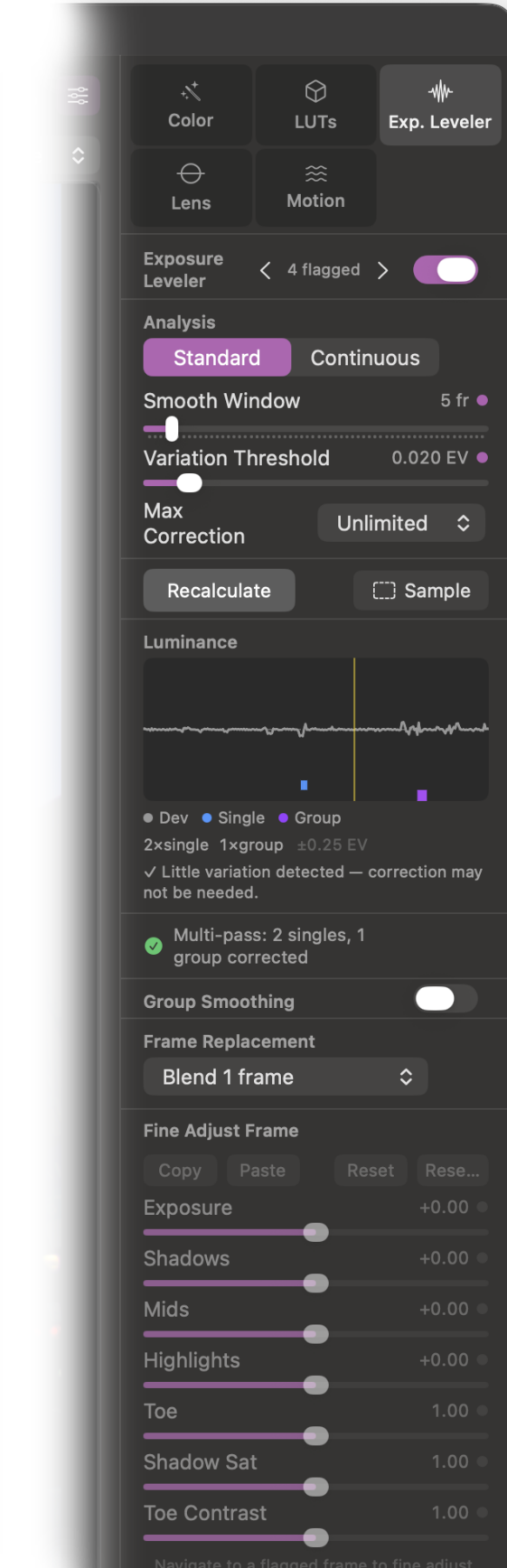
Fix Bad Frames !
Run Exposure Leveler for deflicker first.
Move CTI to the bad frame and hit B to blend it out.
Blend 1 or 2 frames : non-destructively remove the bad frame,
then dissolve across immediate or wider neighbors.
The type of fix you’d do in your video editor.
For many shots this works well and is a fairly invisible fix.
Optical Flow 1 or 2 frames : use it on sequences with camera movement like a motion control slider with pan, tilt, or rotation. GPU accelerated as you’d expect.
Trim Start or End of Sequence ?
Move CTI to where you want your In point and hit I or UI In button
Move CTI to where you want your Out point and hit O or UI button O
Playback and export will honor the new marked points.
Go to timeline Start, End, In point and Out point fully implemented on keyboard and UI buttons.
The option Key will reset I or O.
Color Correction In The Same App.
Full per sequence color correction. It’s non-destructive and runs in real time even during play. Deep color processing with 16-bit floating point on the GPU using custom Metal code. It’s super fast with no compromise on quality. Best of all extreme adjustments never clip image data. You will not have whites that can’t be recovered with the next adjustment. Example : apply large exposure increase, then reduce white point or highlights to bring that upper range back.
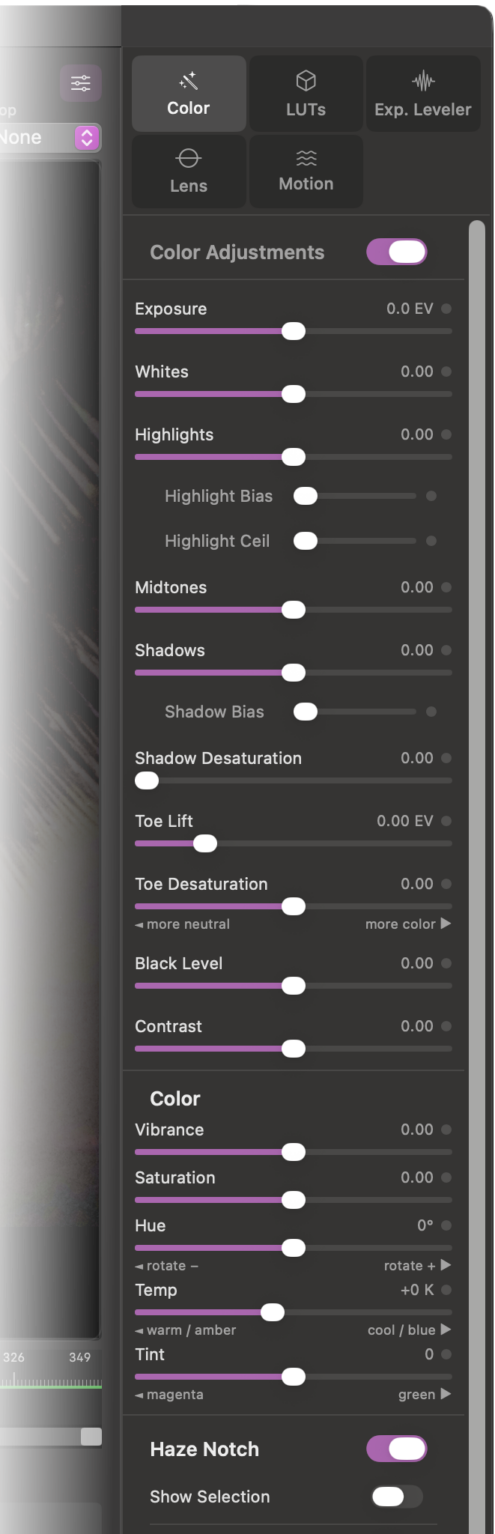
Highlights and Shadows controls include exclusive Bias adjustment that lets you focus a correction tightly on the extreme end of the range or spread it more gradually across the tonal range.
Exposure • Contrast • Highlights • Shadows • Whites • Blacks • Saturation • Shadow Saturation • Vibrance • White Balance
New in V1.5
Toe adjustment that works in the deep shadow areas just above black. This control will lift detail hiding in the darkest areas of the image. Toe desaturation helps control intense color casts that can show up. It lets you adjust deep shadow areas to what looks good.
Anamorphic Lens Support
If you can put an anamorphic lens on your stills camera, why not shoot hyperlapse with it !
PAR aspect ratios of 1.0, 1.25, 1.33, 1.5, 1.8 and 2.0.
LUT Support
Does your camera let you shoot stills in a log format ? no problem ! Apply up to two LUTs simultaneously in real time. One for colorspace conversion, the second as a Look LUT.
Standard 3D .CUBE format in 33 and 65 point versions.
DaVinci Resolve LUT folders are detected automatically if Resolve is installed. There is no need to duplicate LUTs for TimeLapse Forge.
There is also a TimeLapse Forge user LUT folder plus a fourth user configurable path pointing anywhere on your system.
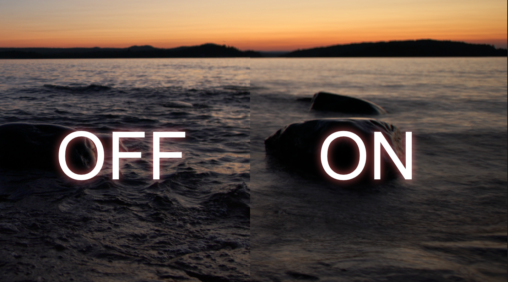
New Haze Notch Filter With Masking
This new color filter has a few cool things it can do. It can act like an optical filter to remove very specific color casts in an image such as the one from city lights.
✨The Haze filter was designed to remove that brownish color in night skies. It can also remove other color casts simply by starting with the eyedropper and adjusting the masking range from there.
🎨 The Notch filter can also be used to boost specific colors. Ever have a sky that skewed towards cyan rather than blue ? This is the fix. Select the color and shift it to blue.
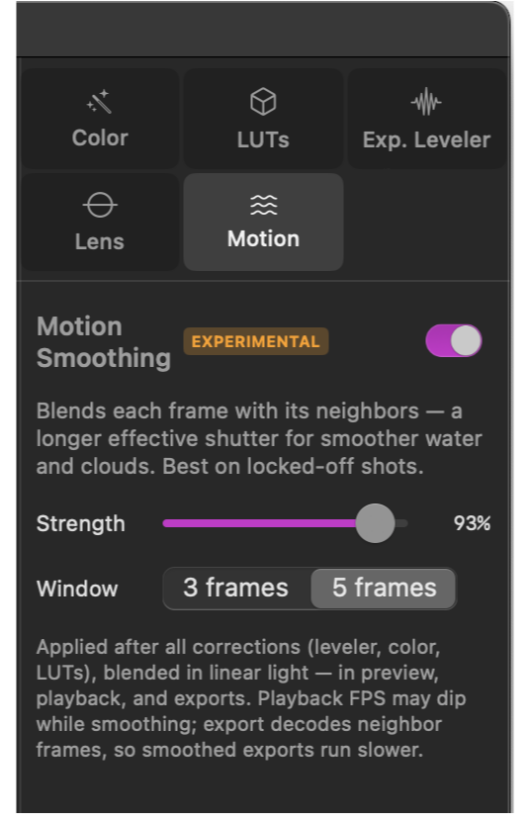
V1.5 Motion Blur
This new effect is designed to give your hyperlapse a smoother motion appearance. Shooting with a higher shutter speed results in sharpness that can have a very staccato appearance that’s unnatural.
When this effect is enabled, it blends either the next and previous frame ( 3 frames ) or 2 prev and next frames ( 5 frames ). The blending is tapered to use less of the other frames further away. The strength control sets how strong the effect is. The net result is the appearance of flowing motion. This works well for water, clouds, cars or other objects that move between shots.
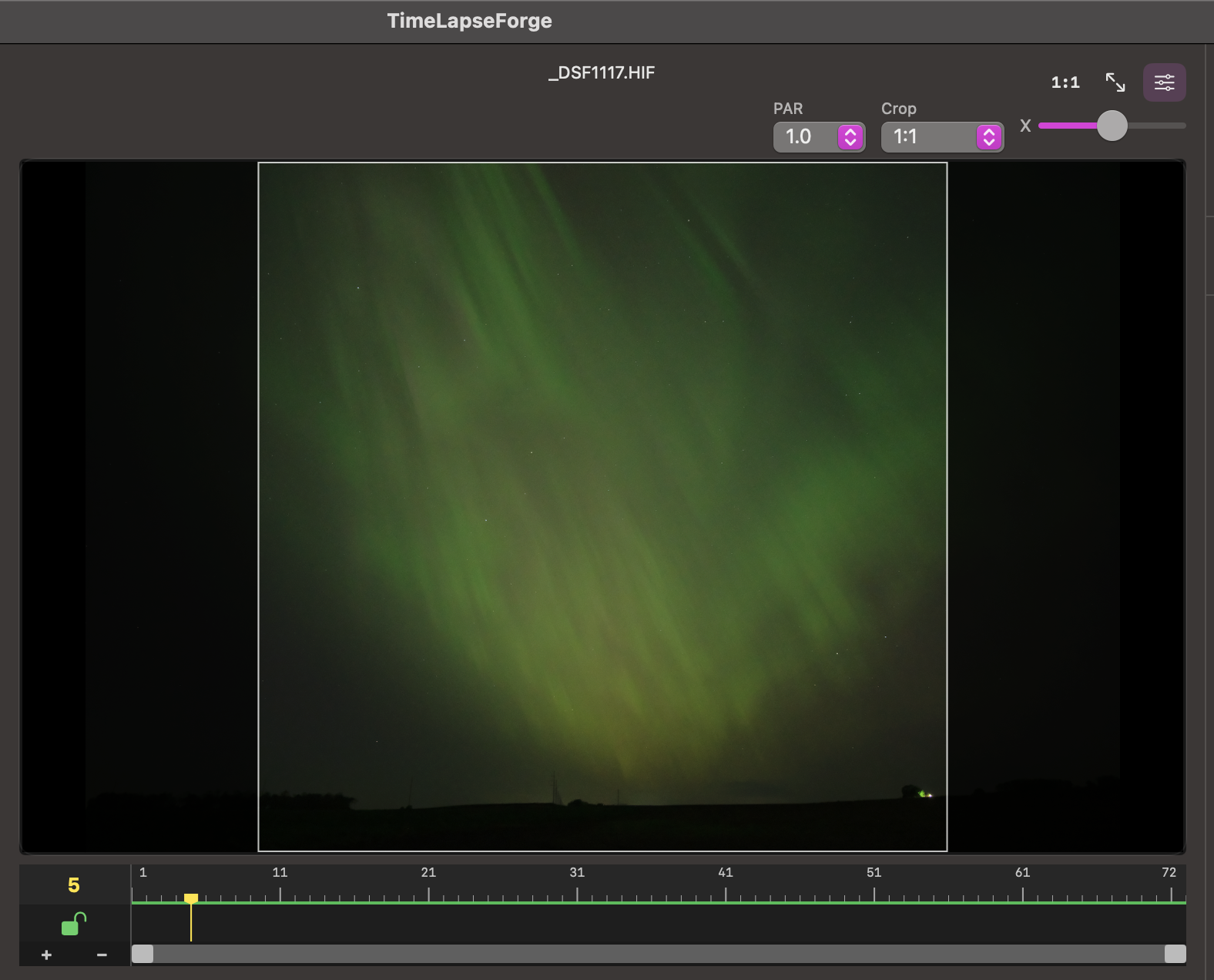
Crop To Aspect Ratio.
Common ratios from 4:3 through 2.35:1, vertical formats like 9:16 included. The crop box displays on the preview window. Adjust it into position and see exactly what’s in and what’s out of the frame. Output resolution and crop interact intelligently: pick either the native resolution of the images or scale to standard sizes like 4K 4096 X 2160. If input vs output matches then it frames cleanly, mismatched aspects ( input vs output ) letterbox or pillarbox predictably without surprises.
Render Your Sequence To Mov Files Ready To Edit In Your NLE or Upload To Social Media

* Hardware acceleration of encoding is M-series model chip dependent. While all of these CPUs have at least one ProRes encoder, H.264 and H.265 specific capabilities will vary. For example M1 supports H.264 4:2:0 colorspace on hardware, but not 4:2:2. M2 and higher supports 4:2:2. TLF intelligently probes the hardware to default to hardware encoding whenever it’s supported, but of course YMMV based on your exact hardware and settings.
System Recommendations: Built for Apple Silicon.
TimeLapse Forge runs on Apple Silicon M1 and later only. No x86 Intel support.
Metal GPU required.
OS 14 minimum is required. OS 15 or higher recommended.
Internet connection for install and activation
Three performance modes let you decide how much of the machine to utilize:
• Low: leaves lots of headroom for other apps
• Medium: default setting for most needs, balances speed vs working in other apps
• High: utilize everything the machine has, go as fast as it can
16+ GB RAM minimum highly recommended. 8 GB supported with reduced sequence capacity for caching. Quitting apps you don’t need running to free up RAM helps on 8 GB machines.
The more Performance CPU cores and GPU cores the better, TLF will use them.
Fast internal or external SSD recommended for longer sequences.
TimeLapse Forge
One-time purchase. No subscription. Small version updates included.
$79 Intro pricing for V1.7
macOS 15 or newer – Apple Silicon required – internet connection for install and activation
Available On The Apple App Store
Purchase TimeLapse Forge Direct From Our Store